1. Introduction
Welcome to Belle Amours, your premier destination for high-quality fashion and accessories. This guide will walk you through the entire shopping process—from browsing products to completing your purchase.
2. Getting Started
Creating an Account
1. Click Sign Up (usually located at the top-right corner).
2. Enter your name, email, and password.
3. Verify your email (if required).
4. Your account is now ready!
Logging In
1. Click “Log In” (top-right corner).
2. Enter your email and password.
3. Click “Sign In”.
3. Browsing Products
Categories & Collections
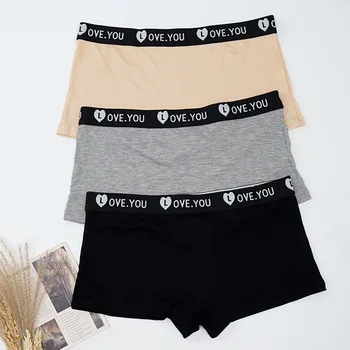
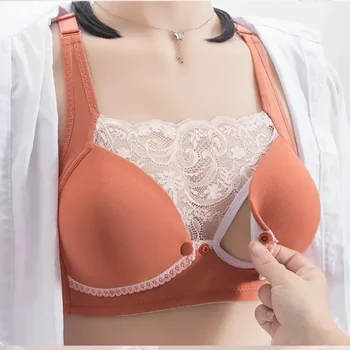
– Browse by categories (e.g., Bikinis, Sleeping Wear, Bra).
– Explore featured collections (e.g., New Arrivals, Sale Items).
Search Functionality
1. Use the search bar (top of the page).
2. Type keywords (e.g., “Summer Dress”).
3. Press Enter to see results.
Product Pages
– Click on any product to view:
– High-quality images
– Price & discounts
– Size & color options
– Product description
– Customer reviews
4. Selecting Products
Adding to Cart
1. Choose size, color, and quantity.
2. Click “Add to Cart”.
3. A confirmation message will appear.
Wishlist Feature
– Click the heart icon (♡) on any product to save it for later.
– Access your wishlist from your account dashboard.
5. Checkout Process
Reviewing Cart
1. Click the cart icon (🛒) at the top-right.
2. Review items, adjust quantities, or remove products.
3. Click “Proceed to Checkout”.
Shipping & Delivery Options
1. Enter shipping address.
2. Choose delivery method (Standard, Express).
3. Apply a discount code (if available).
Payment Methods
– Select payment option:
– Credit/Debit Card (Visa, Mastercard, etc.)
– PayPal
– Other available methods (e.g., Apple Pay)
– Enter payment details securely.
Order Confirmation
1. Review order summary
2. Click “Place Order”.
3. You’ll receive an **order confirmation email.
6. Order Tracking & Account Management
Viewing Order History
1. Log in to your account.
2. Go to “My Orders”.
3. Track status or view past purchases.
Managing Account Details
– Update personal info, password, and addresses under “Account Settings”.
7. Customer Support
Contact Options
– Email: support@belleamours.com
– Live Chat.
– FAQ Page for quick answers.
Returns & Refunds
1. Go to Returns” in your account.
2. Follow instructions for return authorization.
3. Ship the item back and await refund or exchange.
Thank you for shopping at Belle Amours! If you need further assistance, our support team is always ready to help. Happy shopping!